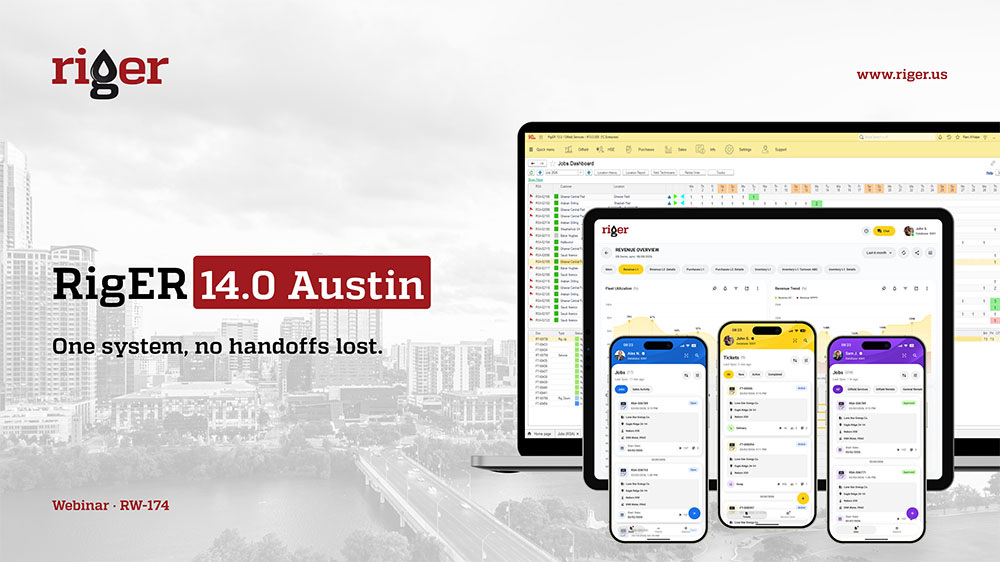
A new MCP connector lets AI assistants read live RigER data and build dashboards on request. AI document conversion cuts paper ticket entry from 20 hours a week to 20 minutes.
Austin, TX, October 22, 2026. RigER Inc., the oilfield operations management platform for energy service and equipment rental companies, today announced RigER 14.0 Austin. It is the first RigER release that connects AI assistants directly to a client’s RigER data, through an MCP connector now in early access. The release also turns photos and PDFs of paper tickets into RigER documents and gives every job its own conversation in RigER Chat. Crews can scan equipment by barcode, QR code and RFID (UHF and NFC) on any device.
Many of the features and additions in 14.0 Austin were requested by field rental, downhole tool, offshore and oilfield service companies that run RigER every day. The release takes its name from Austin, Texas, home of RigER’s headquarters.
RigER 14.0 Austin at a Glance
What is new and what it means for your operation.
- RigER MCP Connector (early access): Ask your AI assistant about jobs, equipment, tickets and invoices. Get answers, reports and dashboards from live RigER data.
- AI conversion of photos and PDFs: Paper tickets become RigER documents in minutes, after a single approval.
- RigER Chat: A conversation for every job, on desktop and mobile, archived with the job when it closes.
- RigER Digital ID: Barcode, QR code and RFID (UHF and NFC) scanning on desktop, mobile and handheld scanners.
- RigER Mobile Field: Shop Check-In, Yard Check-In, Inspection Cards and Repair Cards on the phone
- RigER Enterprise 14.0 core: Tighter billing controls, new reports and dashboards, Avalara and Spectrum integrations, HR performance and training, APDEX performance monitoring.
AI That Works With Your RigER Data
RigER clients hold years of job, equipment and billing data. 14.0 Austin lets AI work with that data under the same security rules RigER uses today.
RigER MCP Connector, Early Access
MCP (Model Context Protocol) is the open standard that lets AI assistants connect to business software. The RigER MCP connector links RigER Enterprise to any AI assistant that supports MCP. Ask a question in plain language and the AI answers from live RigER data: RSAs, jobs, rental and field tickets, invoices, Unit Numbers, inventory, Work Orders, Inspection and Repair Cards, and the CRM pipeline.
Try asking:
- “List rental tickets delivered last month that are still not invoiced.”
- “Show units in the Odessa yard that are ready to rent or due for inspection.”
- Compare revenue by customer for Q3 and Q2.”
- “List employee certificates that expire in the next 90 days.”
Dashboards on request:
Ask for a chart or a full dashboard and the AI builds it from the same live data, such as utilization by equipment group or revenue by customer and period. Standard KPIs stay in RigER dashboards and Power BI.
Built with guardrails:
- Same permissions as RigER. The AI sees only the data the user can already see in RigER.
- Read only. In early access, the connector reads data and cannot create, change or delete records.
- Any MCP assistant. Clients keep the AI tools they already use, as long as the tool supports MCP.
![image]()
AI Conversion of Photos and PDFs into RigER Documents
Some field work will stay on paper. A crew trucking frac tanks may still write tickets by hand, and a single paper ticket can mean 3 to 5 documents in RigER. In 14.0 Austin, AI does that data entry:
- Take a photo of the ticket or upload the PDF.
- AI reads the ticket, including handwriting, and matches each unit number to RigER.
- RigER works out what happened and drafts every document the move requires.
- The dispatcher or operations manager reviews the drafts and approves them with a single click.
One RigER client cut paper ticket entry from about 20 hours a week to 20 minutes. Nothing posts to RigER until a person approves it.
“Our clients asked us for 2 things this year. They wanted their AI tools to read their RigER data, and they wanted the paper tickets off their desks. We’ve built both into 14.0 Austin, with the controls an oilfield business needs. The AI sees only what a user is allowed to see, and every document it drafts waits for a person to approve it.”Michael Maltsev, CEO, RigER Inc.
RigER Chat: A Conversation for Every Job
Crews and dispatchers coordinate jobs by phone and in group texts. Those decisions stay on personal phones and never reach the job record. RigER Chat brings the conversation into RigER, next to the job it belongs to.
- Chat per job. Each job in RigER gets its own conversation, on desktop and mobile.
- Automatic membership. Everyone assigned to the job joins automatically. Nobody adds or removes users by hand.
- Job register. Job events, such as a truck checked in on location or tools unloaded, appear in the chat timeline.
- Dispatcher view. Dispatchers follow every open job conversation from a single screen.
- Archive on close. When the job closes, the chat is archived and attached to the job record in RigER.
“RigER Chat came straight from our clients. Crews already run jobs in group texts. Now that conversation sits on the job, and the dispatcher sees every open job in a single view.”Michael Maltsev, CEO, RigER Inc.
Field, Shop and Yard Work on Mobile
RigER Digital ID
A Unit Number can now carry several digital IDs at once: barcode, QR code and RFID tags (UHF and NFC). Crews scan on desktop, phone, tablet or handheld scanner. The unit opens with its status and location, plus links to its Repair and Maintenance cards.
- QR and barcode marking for hoses and other serialized equipment.
- UHF scanning on handheld scanners, with an offline mode that syncs when the device is back in coverage.
- NFC tags read with a tap of the phone.
- Digital IDs linked to assembly Unit Numbers on Rental Tickets.
RigER Mobile Field
Shop and yard work moves onto the phone. Inspection and Repair Cards were rebuilt on a shared engine, so they work the same way in the office and in the field.
Mobile Documents and What Crews Do
- Shop Check-In: Check equipment into the shop as it comes back from the job.
- Yard Check-In: Scan units into the yard as they arrive.
- Inspection Card: Run inspections on the phone from templates adapted for mobile, with photos attached.
- Repair Card: Record repairs on the phone, including assemblies and multiple reworks on a unit, with invoice control so repair work is not missed or billed twice.
The RigER Mobile suite also gains iPad support, an Approvals app that handles discounts, a faster RSA workflow in the Sales app, and ticket locking that stops 2 users from editing the same Rental Ticket at once.
RigER Enterprise 14.0 Core Updates
Many clients now run most of the business on RigER. At one of them, the VP of IT identified 15 separate software tools that RigER could replace.
Areas and What is New in 14.0
- Billing: Multi-invoice check warns about open Work Orders before invoicing. Billed Work Orders are marked Invoiced automatically. Job Segments carry from the RSA through tickets to the invoice. Service invoices come straight from Field Tickets. Business Calendars set billing periods.
- Reporting and dashboards: New RSA Invoicing, Rework and Location History dashboards. Sales Projection feeds the CRM pipeline into executive dashboards. New Revenue by Periods, Job Shipping, Charge Back and Teardown reports. Circulation, Drilling and BRT hours by Unit Number. Job Field Tickets report delivered by scheduled email.
- Integrations: Full Avalara integration with detailed tax lines. New Spectrum accounting integration. Import of packages and price agreements.
- Approvals and CRM: Project Estimates in CRM feed straight into the RSA. Improved RSA approval workflow. An edit check stops 2 users from changing the same RSA at once.
- HR and workforce: Performance assessments and training plans with supervisor-level reporting. Employee skills and qualifications tracking. Certificate expiry reports by email.
- Performance and security: Active APDEX monitoring of user activity catches slow spots early. Hardened license controls and automated regression testing.
Availability
RigER 14.0 Austin is announced today. Existing clients move to 14.0 in scheduled phases over the coming months, coordinated with each client’s RigER team. The RigER MCP connector is available through an early access program.