Most oilfield service companies didn’t choose spreadsheets. They inherited them. Somebody built a system in Excel a decade ago to track field tickets, and nobody’s replaced it because it technically still works. The question isn’t whether spreadsheets can hold field ticket data. It’s what they cost you while they do.
How Spreadsheet Field Tickets Actually Work Day to Day
A field technician fills out a paper ticket at the job site. Someone photographs it or drives it back to the office. An admin re-keys the quantities, hours, and equipment used into a spreadsheet. Someone else checks it against the job order. Then it gets re-keyed again into whatever accounting system generates the invoice.
That’s three to four manual touches on a single piece of data, and each one is a place an error can enter: a transposed number, a missed line item, a ticket that never makes it back to the office at all. None of this is a knock on the people doing it. It’s what happens when field data has to survive multiple handoffs on paper and in disconnected files.
What This Costs: Errors, Delay, and Disputed Invoices
The real cost of spreadsheet field tickets shows up in a few places. Every re-key is a chance to get a number wrong, and multiplied across hundreds of tickets a month, even a 2-3% error rate means real revenue lost to under-billing, or real disputes from clients over over-billing. There’s also the lag: a ticket has to physically get back to the office, get entered, get approved, and get matched to a job before it can be invoiced. That wait, sometimes days, sometimes weeks, is money sitting uncollected. And because a spreadsheet has no timestamp of who approved what, no signature on file, no photo of the equipment on site, a client questioning a charge often leaves the company working from memory instead of a record.
None of these problems come from a lack of effort. They’re structural: spreadsheets weren’t built to move data from a truck in the field to an invoice in the office without someone retyping it at every step.
What Field Ticketing Software Changes
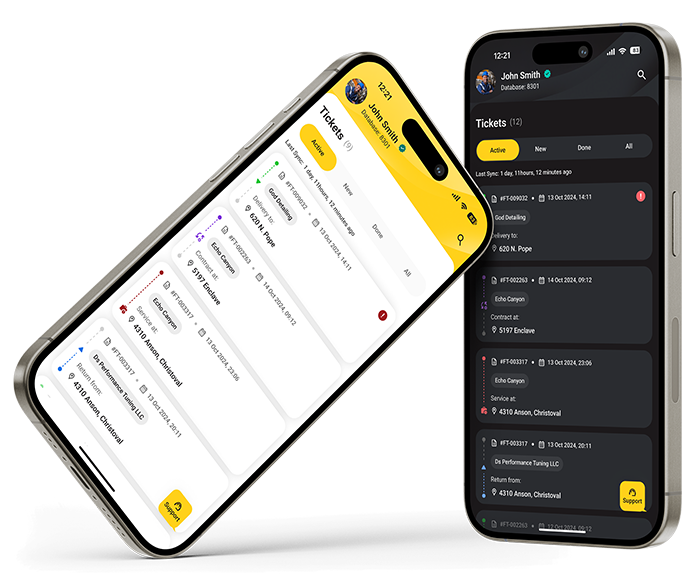
Field ticketing software keeps every record it needs to keep. What it removes is the re-keying step. A technician completes the ticket on a phone or tablet at the job site (quantities, hours, equipment, signature), and that same data flows straight into the office system. There’s no separate transcription step, because the data was captured correctly the first time.
![image]()
That fixes the three problems above, but not by adding process. The number entered in the field is the number that reaches the invoice, not a copy of a copy, so there’s less room for error to creep in. A completed, approved ticket can move to billing the same day instead of waiting for paperwork to physically return. And because every ticket carries a timestamp, an approval trail, and a signature, the office has something to point to if a client pushes back.
RigER’s
mobile field tickets are built specifically for this handoff. Technicians complete tickets on-site, including in areas with no cell signal, and the data syncs to the office the moment a connection is available. Nobody is entering the same job twice.
When Spreadsheets Are Still Fine
Spreadsheets aren’t the villain here. For a two- or three-person crew running a handful of jobs a month, a spreadsheet can genuinely be enough. The tipping point is usually volume: once a company is running enough field tickets that one person’s full-time job is chasing them down, re-keying them, and reconciling them against invoices, the cost of the manual process starts to outweigh the cost of switching off it.
The Real Question to Ask
Skip the abstract comparison. Add up how many hours a month someone spends moving field ticket data from paper or Excel into an invoice, then multiply that by what an hour of their time is worth. For most oilfield service companies running more than a handful of jobs a week, that number runs higher than expected, and it repeats every month, whether or not anything goes wrong.
This is exactly what RigER’s
oilfield operations management software is built to handle: field ticket capture through invoicing, without the manual re-keying in between.
Book a call to see it running on your own field data.